



















What does a generative AI website need to prove?
A generative AI website needs to prove that your output is better for a specific job than what the visitor can already get from a general chatbot. That's the bar now. Almost every buyer has tried a general model, so 'generate anything with AI' is not a reason to sign up. Show what you produce, for whom, and why it's better than a blank prompt box.
The research backs up how skeptical visitors are. In a Crazy Egg study, 97% of people saw benefits in an AI tool, but only 45% said they would try it. The gap between interest and trust is the job of the site. The angles that close it are outcome over technology, real output instead of a 'magic' promise, and data policy shown up front.
If your product takes actions in other systems rather than producing an output for a person to use, the design problem is different: it's autonomy and control. Our AI agent startup website page covers that case.
How do you show output quality honestly?
Show real outputs, with the input that produced them, and say what was edited. A gallery of polished results with no prompt next to them reads as marketing. A gallery where the visitor sees the input, the raw output and any human edit reads as evidence. We design these as a core section, not a carousel at the bottom of the page.
- Input next to output: the prompt, the source file or the settings, shown beside the result.
- Unedited by default: if a result was touched up, label it. Visitors find out in the trial anyway.
- Range, not just the best: show a typical result next to the best one, so the expectation matches the product.
- Your use case, not a party trick: a contract summary for a legal buyer, product photos for an ecommerce buyer.
- Try it on the page: where cost allows, a limited live input or a set of preset examples visitors can run.
Benchmarks and evals help when the buyer is technical, but only if you present them fairly: name the test, the date, the models compared and the conditions. Our guide on presenting AI benchmarks honestly covers the format. For citation-heavy products, showing sources inline does the same job, as we explain in how to show sources in AI answers.
How should a GenAI startup position against the big models?
Position on what you add on top of a model, not on the model itself. Your buyer already has access to strong general models, so your site has to answer 'why not just use those?' in the first screen. The honest answers are usually workflow, data, quality control or format, and the site should say which one is yours.
Your positioning | What the buyer asks | What the site must show |
|---|---|---|
Own model or fine-tune | Is it really better, and at what? | Side-by-side outputs, named evals, the tasks where you win |
Vertical product on top of models | Why not do this in a chatbot? | The workflow, templates, data and checks a chatbot lacks |
Developer API or platform | Is it fast, cheap and reliable enough? | Code sample, latency and limits, pricing per unit, docs |
Feature inside an existing tool | Does it fit how I already work? | Inline examples in the real interface, integrations |
Whether to name your model provider is a judgment call. For developer and enterprise buyers we usually say it plainly on the security or docs page, because they'll ask. For non-technical buyers the home page should stay on the result. Our guide to explaining AI products without buzzwords has rewrites of common vague headlines.
How do you design a usage-based pricing page for an AI product?
Translate the billing unit into something the buyer already counts. Tokens, credits and compute minutes mean little to most buyers, so the pricing page should say what a credit buys in their terms: documents, images, minutes of audio or runs. Then show what a typical month costs for a team like theirs.
- One unit per plan: mixing seats, credits and overage in one card confuses people. Pick a primary unit and explain the rest below.
- A worked example: 'a five-person team generating about this much a month' with the plan it lands on.
- Limits and overage, visible: what happens at the limit, whether work stops or bills extra, and how buyers get warned.
- A calculator when usage varies a lot: a simple slider beats a table of rates.
Hypothetical example: rewriting a credit pricing card
For example, suppose an image generation startup sells 'Pro: 2,000 credits a month'. Visitors don't know what a credit is. The rewrite keeps the same plan but leads with the outcome: 'Pro: about 500 product images a month at standard size'. A line underneath explains that larger sizes use more credits, and links to a short table of credit costs per format.
The price hasn't changed. What changed is that a buyer can now check the plan against their own catalogue before they talk to anyone. These numbers are illustrative, not from a real company.
We go further into this in our guides to usage-based and AI pricing pages and to AI pricing page design.
How do you brand a generative AI company so it doesn't look like every other one?
Build the brand around your output and your buyer, not around the idea of AI. Sparkle icons, purple gradients and glowing orbs are now so common that they read as a category, not a company. If the output is images, the brand should feel like an image tool. If it's legal drafting, it should feel like legal software that happens to use models.
The practical test: cover your logo and ask whether the site could belong to any of your three nearest competitors. If yes, the identity isn't doing its job. Our article on why AI logos all look the same shows how to break the pattern. When a brand needs real work before the site, our brand and design sprint is a fixed-price way to settle it first.
What generative AI work have we done?
We designed and built the marketing site for Minexa.ai, a web-data extraction product with a Chrome extension and an API. The hard part was credibility in two directions: too technical and non-technical users assume it's hard, too simple and developers doubt the output. We structured the site around one workflow, used product visuals from the real interface instead of abstract AI graphics, and made reliability a headline idea rather than a footnote.
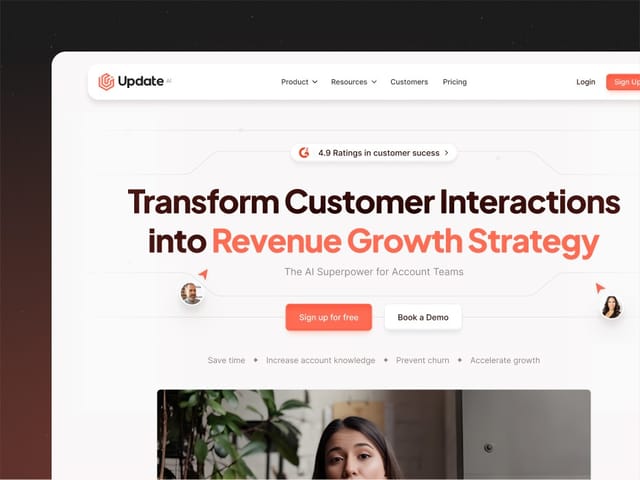
For Update.ai, which turns customer calls into recaps, stakeholder profiles and risks, the output is generated text. We designed the site to show those outputs inside realistic product screens, with customer data anonymized, and organized the story around three outcomes instead of a list of AI features. The first project grew into ongoing work on product pages, campaign pages and guides.
How do we work with generative AI startups?
Intro call
A free 30-minute call about your product, your buyer and what you're up against. We'll tell you if a landing page or trial week is the better first step.
Positioning and copy
We write the page copy first: the job, the buyer, what you add on top of general models, and the honest limits.
Output curation
We collect real inputs and outputs with your team, choose a fair range, and plan any live or preset demo the budget allows.
Design
Custom design in Figma, including the output gallery, the pricing page logic and a visual identity that belongs to your category.
Build
A Next.js build with a CMS for examples, use cases and changelog entries, so the gallery stays current as the model improves.
Launch
Analytics and signup tracking, SEO and AI-crawler checks, and a handover so your team can add new examples without us.
What does a generative AI website cost?
Our website package is $8,000, fixed, for up to six pages, then $500 per extra page. It includes copy, custom design, the Next.js build, a CMS and animation. For a single launch page, our landing page is $6,000. Typical ranges we see quoted for Next.js agency builds run from about $20,000 to $120,000 and vary widely by scope. Timelines are scoped on the intro call, because they depend on how much real output you can show today.
The next step is a free 30-minute call, where we'll look at your current site and tell you what we'd change first.