



















What should SaaS web design services include?
SaaS web design services should include every page a buyer uses to decide, not just a homepage and a features grid. A B2B buyer checks what the product does, whether it works with their stack, what it costs and whether it's safe to buy, often across several visits and several people. Each of those questions needs a page built to answer it.
Page | The question it answers | What we build into it |
|---|---|---|
Homepage | What is this and is it for me? | A one-line value proposition, product visuals and proof above the fold |
Feature pages | How does it solve my problem? | Outcome-led sections with real UI, one page per job to be done |
Pricing page | What will it cost us? | Plan cards, a comparison table, a cost calculator if needed, and a pricing FAQ |
Product tour | What does it look like in use? | A guided walkthrough built from real screens, not a stock video |
Integrations directory | Does it work with our tools? | A filterable CMS directory with a page per integration |
Comparison pages | Why you and not the alternative? | Fair side-by-side tables your sales team can send |
Security and trust | Is it safe to buy? | Compliance status, data handling and a contact for security reviews |
Demo or trial flow | What happens when I click? | A short form, inline scheduling and a confirmation page that sets expectations |
Most early SaaS sites have three of these. Which ones to build first depends on how you sell, and we decide that with you on the intro call. Our SaaS website sitemap guide shows the full structure.
How should a SaaS pricing page work?
A SaaS pricing page should let a buyer pick a plan, or decide to talk to sales, without leaving the page confused. That means three or four clearly named plans, the one or two differences that actually decide between them, an honest answer for enterprise, and a FAQ that handles billing, seats and cancellation.
Usage-based and AI products need more. Credits, tokens and seats confuse buyers, so we design an estimator that turns their real usage into a monthly number. When your pricing is still moving, we build the plan cards from CMS fields so you can change prices and limits without a redesign. Our guide to SaaS pricing page design covers the patterns in detail.
Product tours, interactive demos or video?
The best product tour is the one that shows the product's key moment fastest. For most B2B SaaS sites that's a short, coded walkthrough built from real UI fragments: it loads quickly, stays sharp on every screen and can be updated when the product changes.
Format | Best for | Trade-off |
|---|---|---|
Coded UI walkthrough | Homepage and feature pages | Takes design and build time, but loads fast and stays crisp |
Interactive demo tool embed | Complex products buyers want to click through | Third-party script weight and styling limits |
Short muted video loop | Showing motion or a workflow in seconds | Heavy files, and it dates quickly as the UI changes |
Full recorded demo | Late-stage buyers on the demo page | Too long for the homepage |
Calls to action matter here too. In one Optimizely test, a "Watch a Demo" button converted at 1.59% against 0.91% for "Get Started". That's one test, not a rule, but it shows how much the label on a demo CTA can matter. Our post on interactive demos and product tours weighs when an embed is worth its weight.
Integrations and comparison pages that scale
Integrations and comparison pages should come from the CMS, not be designed one by one. We design one directory, one integration template and one comparison template, then your team adds entries as partnerships ship. Each integration page gets its own URL, so it can rank for searches like your product name plus the tool's name.
Comparison pages work when they're fair. A table that admits where an alternative is stronger is more believable than one where you win every row, and it's a page your sales team will actually send. Our guide to competitor comparison pages explains the structure, and our integration pages guide covers the directory.
How does a SaaS website project run with us?
We start with the words because most SaaS sites lose buyers on clarity, not on visuals. Each step ends with something you approve.
Intro call
A free 30-minute call about your buyers, your sales motion (self-serve, sales-led or both) and which pages matter most.
Messaging
We review sales calls, support tickets and competitor sites, then write a positioning line and the homepage copy for you to approve.
Sitemap and funnel
We map the pages buyers need, from homepage to pricing to demo confirmation, and agree what each one must do.
Design
Every page designed in Figma at desktop and mobile sizes, with product UI shown accurately rather than as abstract shapes.
Build and CMS
We build in Framer, Webflow or Next.js, with CMS templates for blog, integrations, comparisons and changelog.
Tracking and launch
We wire demo and signup events to your analytics and CRM, test every form, set redirects and launch.
How do you measure a SaaS website after launch?
Measure the steps of the funnel, not just traffic: visitor to demo request or signup, demo request to booked meeting, and pricing page visits to plan selection. Unbounce's conversion benchmark report puts the median landing page conversion rate for SaaS at about 3.8%, which is a useful sanity check, not a target.
Most startup sites don't get enough traffic for clean A/B tests. Spotler's guide to test sample sizes puts the traffic needed to detect a 15% lift at a 2% baseline at roughly 15,000 to 20,000 visitors per variant. So after launch we recommend research-led changes, from session recordings, sales feedback and form drop-off, over waiting months for test results. Our SaaS conversion rate benchmarks post explains what good looks like by traffic source.
What do SaaS web design services cost?
Our website package is $8,000, fixed, for up to six pages, with copy, custom design, build and animation included, and $500 for each extra page. A typical first SaaS scope is homepage, two feature pages, pricing, integrations template and a demo page. The pricing card at the end of this page describes our default Next.js build; Framer or Webflow builds are confirmed on the intro call.
Market prices vary widely, from low thousands for a template site to six figures for enterprise SaaS agencies. Our SaaS website cost guide shows typical ranges by scope. If you need ongoing pages after launch, such as new feature pages, comparison pages and pricing changes, our monthly retainer is $6,000 a month.
SaaS and AI products we've designed and built
SaaS and AI startups are our largest group of clients. A few of the products we've designed and built sites for:
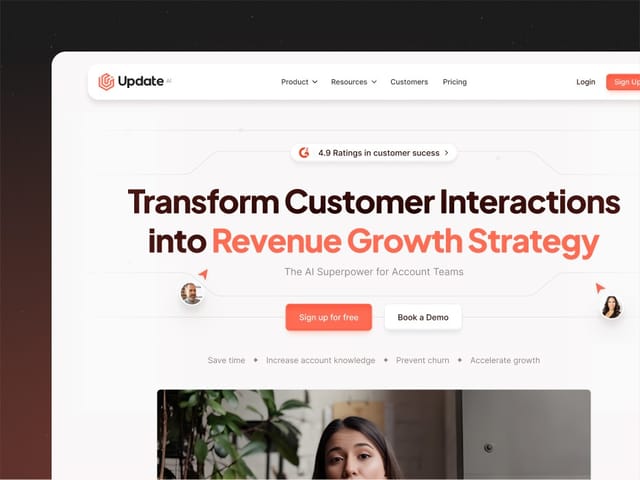
- Update.ai, an AI product. See the Update.ai project.
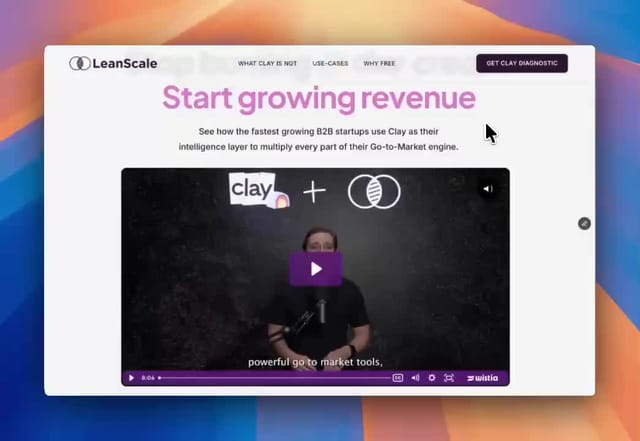
- LeanScale, a data company. See the LeanScale project.
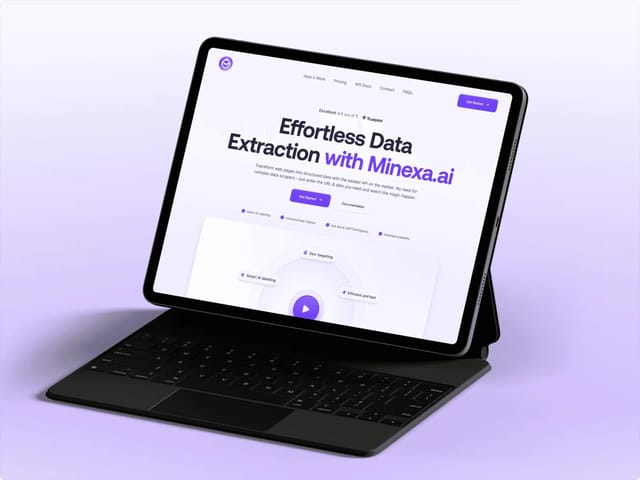
- Minexa, an AI product. See the Minexa project.
- CSSInc AI, AI for accounting and tax. See the CSSInc AI project.
What happens on the intro call?
In 30 minutes we'll go through your current site, your sales motion and the pages you're missing. Bring your pricing, a couple of recorded sales calls if you can share them, and the competitors buyers mention most. You'll get a straight recommendation on scope and platform, then a written fixed price if it's a fit. To test the working relationship first, the $1,000 trial week covers one week of design and development.