



















What does a HubSpot integration do on a marketing site?
A HubSpot integration makes your website a reliable source of contacts and context for your CRM. When it works, sales can open a contact and see which campaign brought them in, which pages they read and what they asked for. When it's half done, leads arrive as bare email addresses, or don't arrive at all.
- Forms: demo requests, contact forms, newsletter signups and gated content create or update HubSpot contacts.
- Tracking code: the HubSpot script records page views and links them to a contact once they identify themselves.
- Source and UTMs: campaign data travels with each submission so attribution reports mean something.
- Meetings: HubSpot's scheduler embedded on a demo page books straight into a rep's calendar.
- Chat: live chat or a bot that writes conversations to the same contact record.
- Workflows: lifecycle stage, owner assignment and follow-up emails triggered by what the visitor submitted.
The site side is only half of it. The other half is deciding which properties each form sets, who gets notified and what happens next. We agree that with your sales or RevOps lead before we build, so the forms are designed around the pipeline, not the other way round. Our guide on connecting website analytics to HubSpot or Salesforce covers the reporting side.
How does HubSpot work with Framer, Webflow and Next.js?
All three platforms can work well with HubSpot, but they get there in different ways. The main choice on each one is between embedding HubSpot's own form and sending your site's native form into HubSpot.
Capability | Framer | Webflow | Next.js |
|---|---|---|---|
Tracking code | Added in site settings as a custom script | Added in project settings as custom code | Loaded with the Next.js Script component |
HubSpot embedded form | Embed component with HubSpot's code | Embed element with HubSpot's code | Loaded in a client component |
Native form sent to HubSpot | Framer form with a HubSpot or webhook destination, check current options | Webflow forms sent through the HubSpot Forms app for Webflow | Custom form posting to HubSpot's Forms API |
Styling control | Limited for embeds, full for native forms | Limited for embeds, full for native forms | Full |
Attribution cookie passed | Automatic with embeds | Automatic with embeds or the app | Passed manually with the submission |
Meetings and chat | Embed or script | Embed or script | Embed or script |
On Next.js we usually build the form ourselves and submit it to HubSpot's Forms API from the server, passing the visitor's HubSpot tracking cookie and page details with it. That gives full control over design, validation, spam protection and performance, without losing HubSpot's attribution. Our guide to forms and integrations on Next.js marketing sites explains the pattern. Platform features change, so we check the current HubSpot, Framer and Webflow options at the start of each project.
Should you use embedded HubSpot forms or native forms?
Use native forms when design and speed matter, and embedded HubSpot forms when your marketing team needs to edit fields without a developer. Both are valid. The choice is about who owns the form after launch.
Pros
- Embedded forms: marketers edit fields, options and follow-ups in HubSpot with no code change
- Embedded forms: progressive profiling and smart fields work out of the box
- Native forms: full control over layout, states, errors and accessibility
- Native forms: less third-party script on the page, which helps load speed and INP
Cons
- Embedded forms: harder to style, and they can shift the layout as they load
- Embedded forms: ad blockers sometimes block HubSpot scripts, so the form never appears
- Native forms: a field change in HubSpot needs a matching change in the site
- Native forms: attribution data has to be passed on purpose, or it's lost
On high-traffic pages like a demo request, we lean towards native forms. For low-traffic gated content that marketing changes often, embedded forms are usually fine. Our landing page form design guide covers how many fields to ask for.
What are the common HubSpot integration mistakes?
Most HubSpot integration problems come from data that's quietly missing, not from forms that visibly break. These are the ones we check for on every site.
- Lost attribution: native forms submitted without the HubSpot tracking cookie, so every lead shows up as a direct visit.
- No UTM capture: campaign parameters dropped between the landing page and the form page. We store them on arrival and send them as hidden fields.
- Double counting: the same submission counted by HubSpot, GA4 and the ad platforms in different ways, so no two reports agree.
- Consent gaps: tracking that fires before consent, or consent that never reaches HubSpot. See our guide to Consent Mode v2 mistakes.
- Bad field mapping: required HubSpot properties left empty, or free-text fields where a dropdown should drive routing.
- Notification emails in spam: form alerts that never reach sales because the sending domain isn't set up properly.
- Layout shift: embedded forms that load late and push the page down.
Should you keep your site on HubSpot CMS or move it?
You can keep the HubSpot CRM and move the website off HubSpot CMS, and many startups do. Teams move when they want more design freedom, faster pages or a stack the product team already knows, while sales and marketing keep working in the CRM they rely on.
The decision depends on how much of HubSpot CMS you actually use, such as smart content or memberships, and who edits the site day to day. Our guides to leaving HubSpot CMS while keeping the CRM, HubSpot CMS to Next.js and Framer vs HubSpot CMS walk through the trade-offs. Migration work is scoped on the intro call, and we include redirects and SEO checks in any migration we take on.
How do we set up HubSpot on your site, and what does it cost?
Map the pipeline
We agree with sales or RevOps which forms exist, which properties each sets, and what happens after each submission.
Design the forms
Forms are designed as part of the page, with clear labels, error states and a confirmation that says what happens next.
Wire it up
Tracking code, consent, forms, UTMs, meetings and chat, set up on Framer, Webflow or Next.js.
Test end to end
Real submissions from each source, checked in HubSpot and GA4 before launch.
Hand over
A short guide for your team on adding fields, changing notifications and reading the reports.
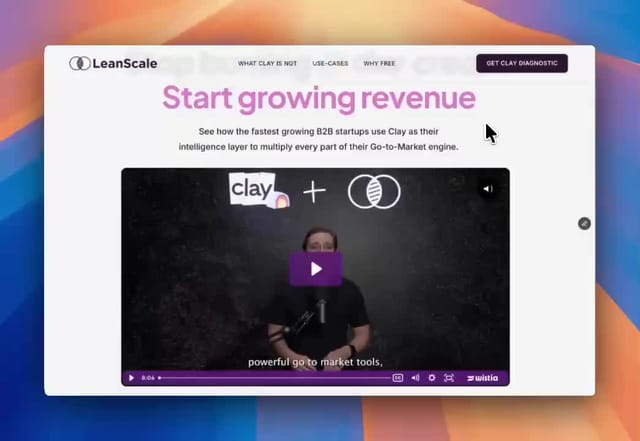
HubSpot setup is part of our website package, $8,000 fixed for up to six pages including copy, design and the build, when HubSpot is your CRM. We did similar funnel work for LeanScale, where the whole page led to one free diagnostic request. If you're also deciding on a platform, our Webflow development and Next.js development pages explain when each fits. The next step is a free 30-minute call.